QR codes have become one of the most convenient tools in the digital world. With a quick scan from a smartphone, users can access websites, make payments, download apps, or retrieve information instantly.
However, as QR codes become more common, cybercriminals are increasingly using them as a method of attack. These scams—often referred to as quishing (QR code phishing)—can redirect users to malicious websites designed to steal personal or financial information.
Because QR codes hide their destination until they are scanned, it can be difficult to identify a dangerous code before interacting with it. Learning how to recognise suspicious QR codes is an important step in protecting yourself from online threats.
Why Malicious QR Codes Are Hard to Detect
Unlike traditional phishing links that can sometimes be recognised by suspicious URLs, QR codes contain encoded information that cannot be easily inspected by the user.
When a QR code is scanned, it may automatically:
- open a website
- download a file
- prompt a login request
- redirect to another webpage
This means users may unknowingly interact with a malicious site before realising anything is wrong.
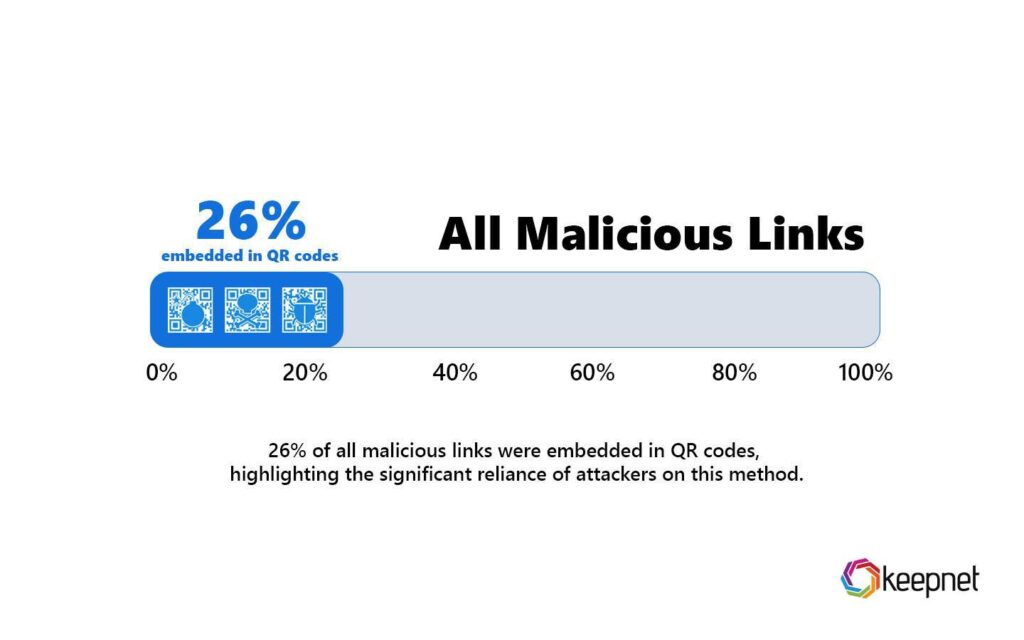
Warning Signs of a Suspicious QR Code
Although QR codes themselves look very similar, there are several warning signs that may indicate a potential scam.
1. QR Codes Placed Over Existing Codes
Attackers sometimes place stickers containing malicious QR codes over legitimate ones in public locations such as parking meters, transport stations, or restaurant tables.
If a QR code appears to be stuck over another label or looks tampered with, it may have been placed there by a scammer.
2. QR Codes in Unexpected Emails
Another common tactic is sending phishing emails that contain QR codes instead of clickable links.
These emails may claim to be from:
- banks
- delivery companies
- cloud service providers
- workplace IT departments
The message might ask the recipient to scan the QR code to verify an account, reset a password, or view a document. In reality, the code leads to a fake login page designed to capture credentials.
3. QR Codes Requesting Sensitive Information
Legitimate QR codes rarely ask users to immediately enter sensitive information.
If scanning a QR code leads to a page requesting:
- passwords
- payment details
- personal identification information
You should proceed with caution and verify the legitimacy of the website.
4. Suspicious URLs After Scanning
Many phones display the destination URL before opening a QR code link. If the website address looks unusual, misspelled, or unrelated to the service you expected, it may be a phishing attempt.
Cybercriminals often use domains that closely resemble legitimate websites to trick users.
5. QR Codes Promising Unusual Rewards
QR codes that promise free gifts, large discounts, or prizes can sometimes lead to scam websites designed to collect personal data or distribute malware.
While legitimate promotions do exist, it is always best to verify the source before scanning.
Why QR Code Security Is Becoming More Important
The growing popularity of QR codes means they are now used in many important services, including:
- mobile payments
- ticketing systems
- product authentication
- contactless menus
- login authentication
As adoption increases, attackers are finding more opportunities to exploit QR codes in both public spaces and digital communications.
Cybersecurity experts are now warning that quishing attacks are likely to continue increasing as users rely more heavily on QR-based interactions.
How QRGuardian Helps Protect Your Scans
While it can be difficult to manually verify every QR code, tools like QRGuardian help make scanning safer. QRGuardian checks the destination of a QR code before opening it, analysing the link for suspicious behaviour, phishing indicators, and known malicious domains. By showing users where a QR code leads before they visit the site, the app helps prevent accidental interaction with dangerous websites. This added layer of protection allows users to continue enjoying the convenience of QR codes while reducing the risk of falling victim to quishing and other QR-based scams.
Leave a Reply